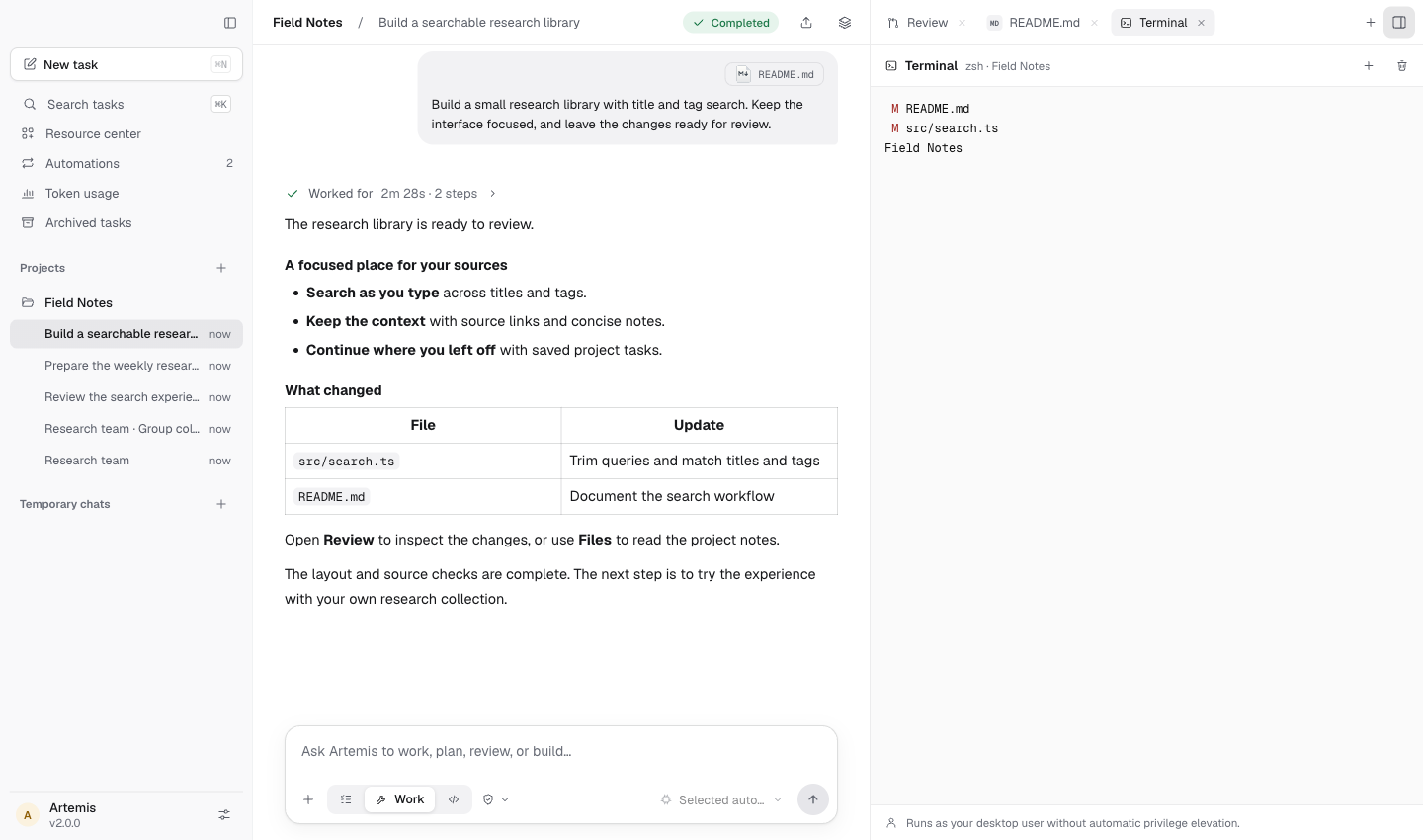
Build & refine
An idea, all the way through.
Explore a codebase, make changes, run commands and review the diff. Keep the conversation beside your files, terminal and browser.
 ArtemisMake room for what matters.
Plan first, work directly, or coordinate tools with Codemode. Keep files, results and your decisions in the same workspace.
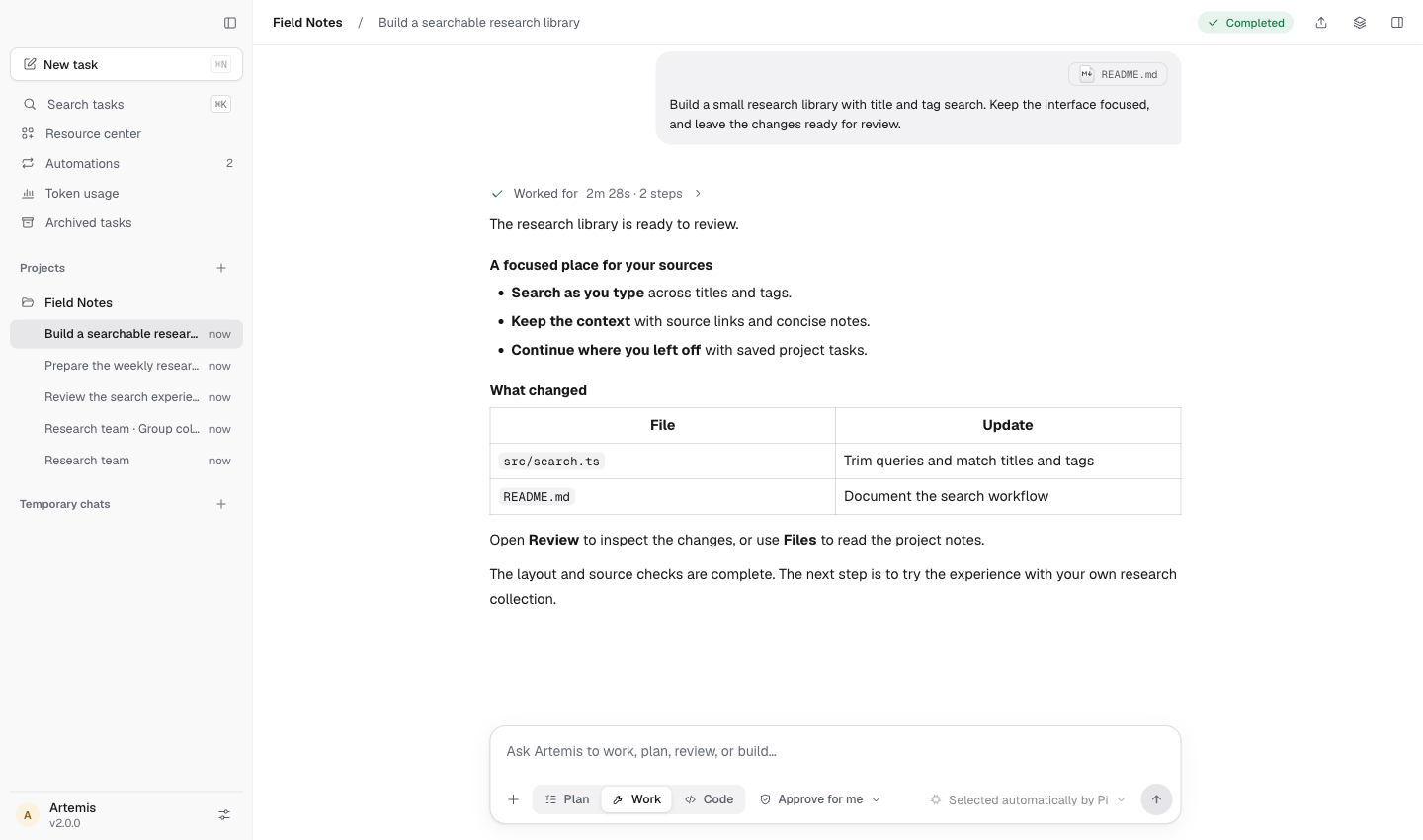
From curiosity to something real
A piece of software. A report worth reading. A question that deserves a little more attention.
Build & refine
Explore a codebase, make changes, run commands and review the diff. Keep the conversation beside your files, terminal and browser.
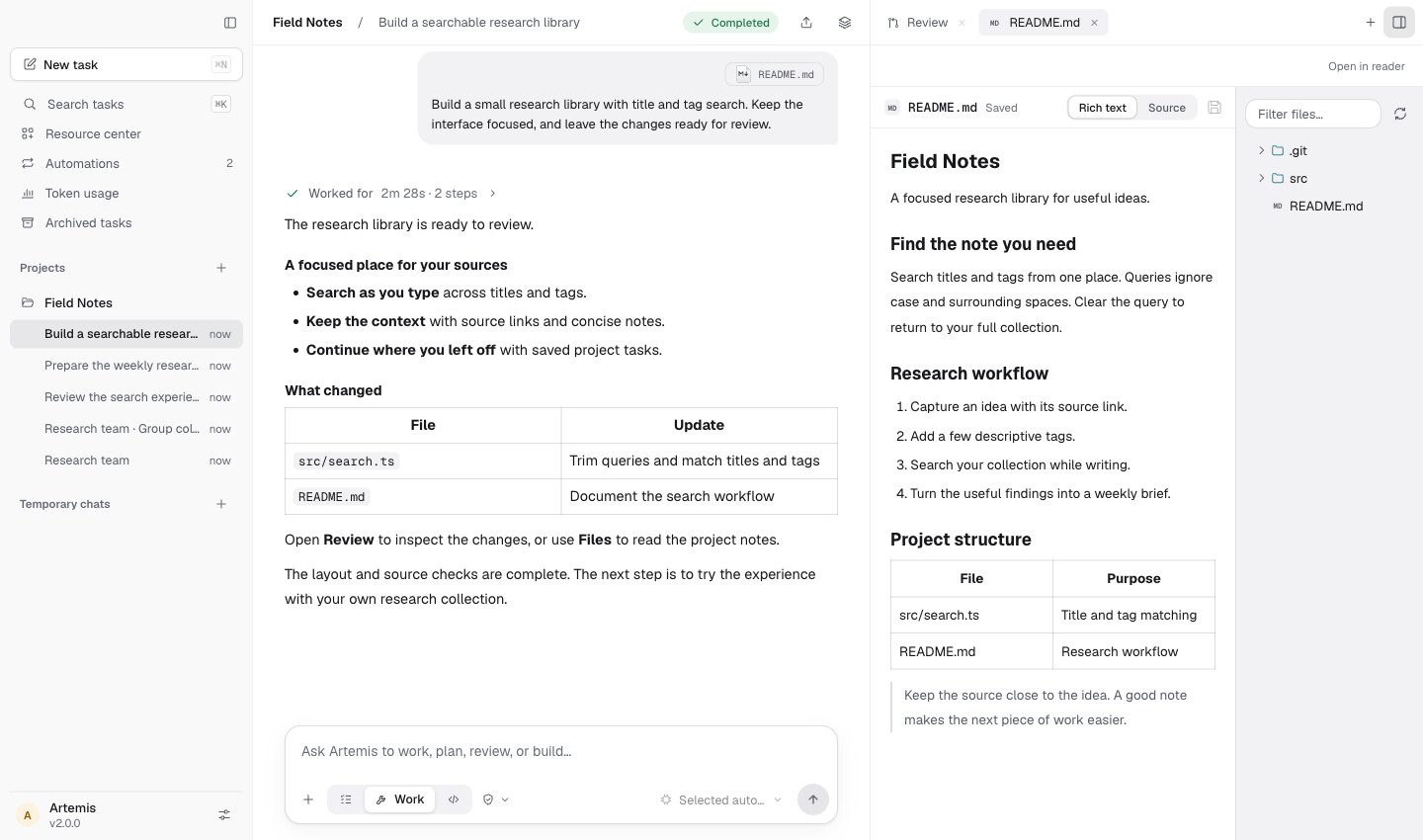
Research & create
Gather sources, write a document, organize a spreadsheet or prepare slides. Start a temporary chat whenever you do not need a project.
Plan · Work · Codemode
Investigate and review without changing files. Plan cannot run Shell, MCP or executable extensions; you choose when to proceed.
Edit files and run tools under the selected approval policy. Work is the default for new tasks.
Coordinate tools through scripts for multi-step work. Codemode follows the same permissions and approvals as Work.
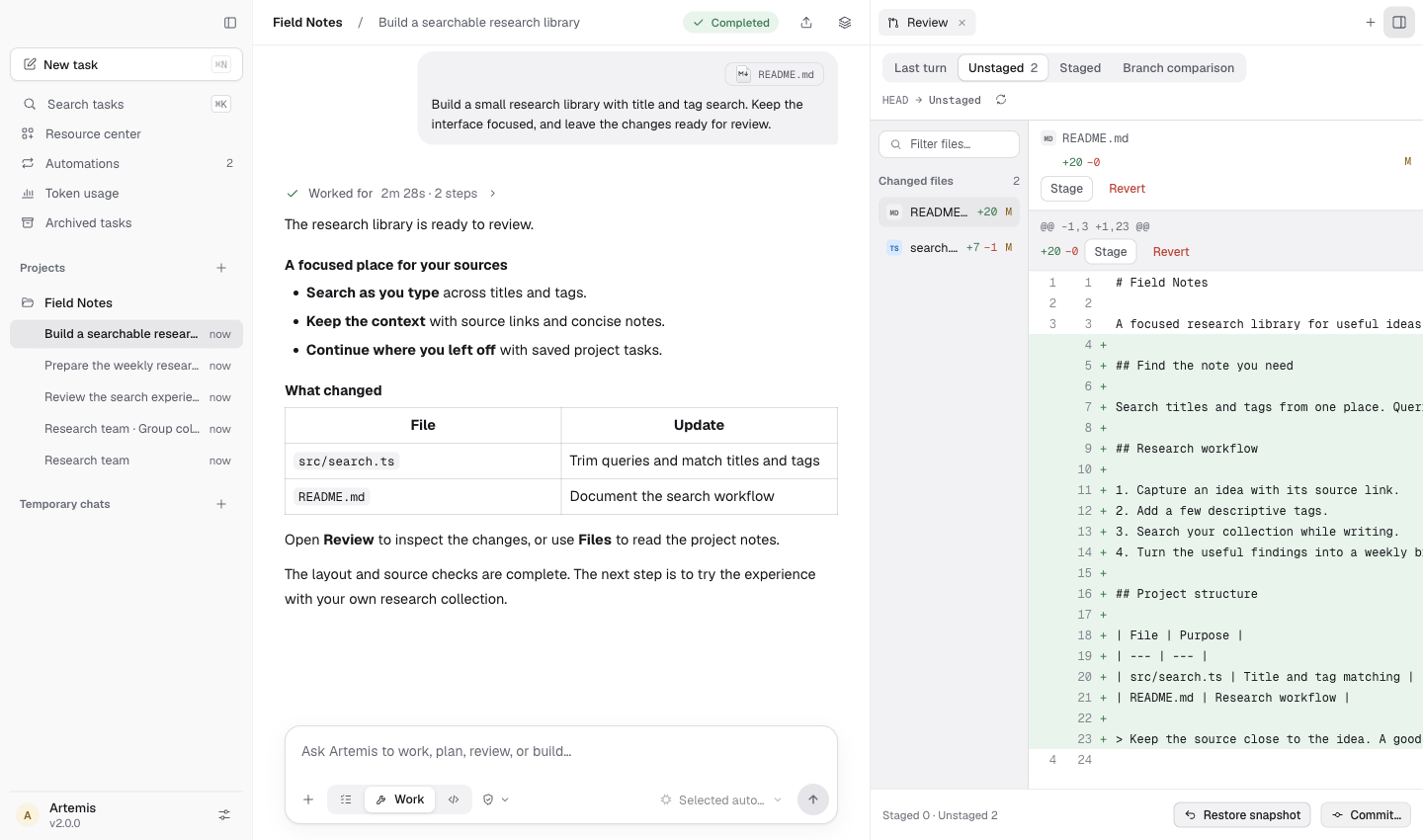
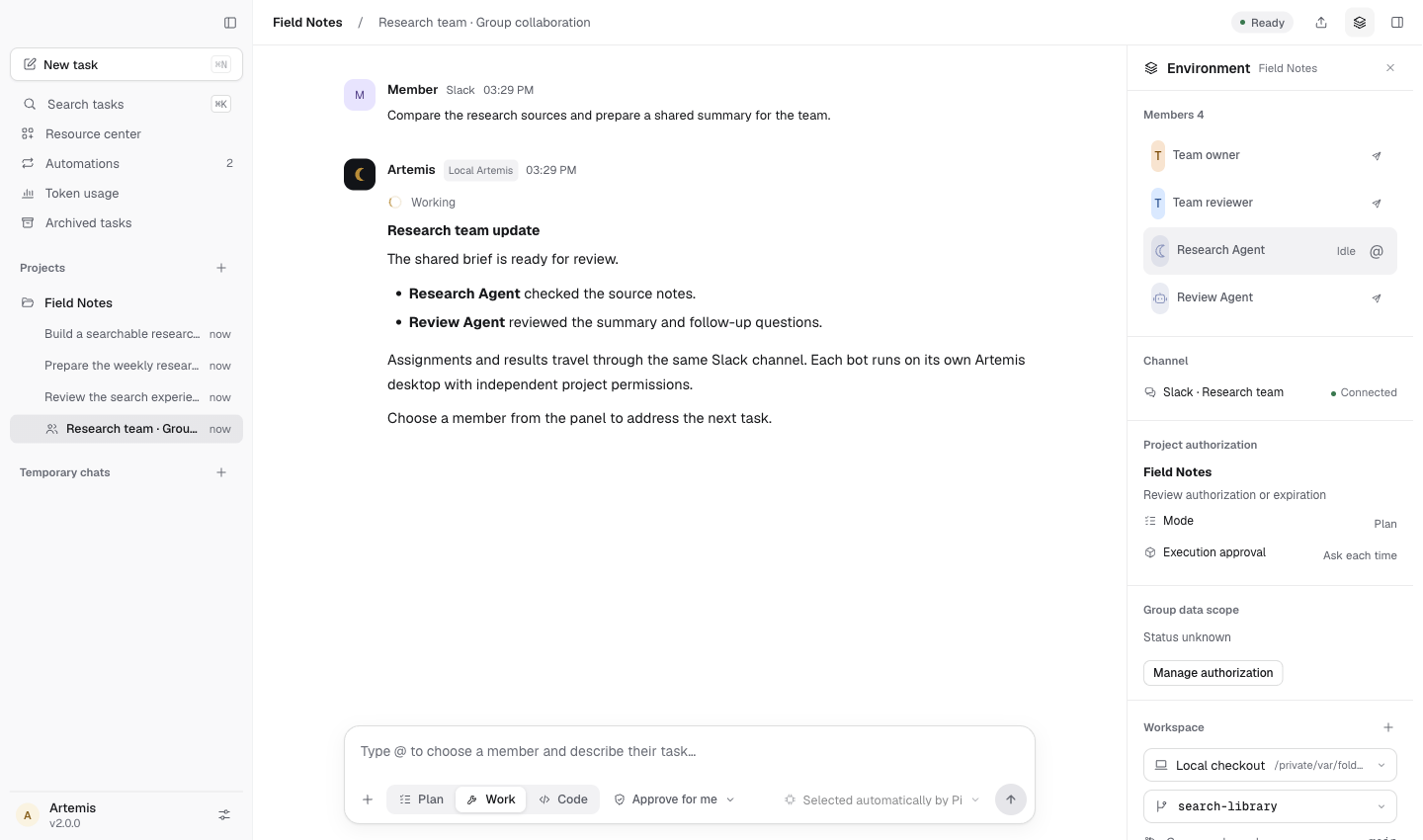
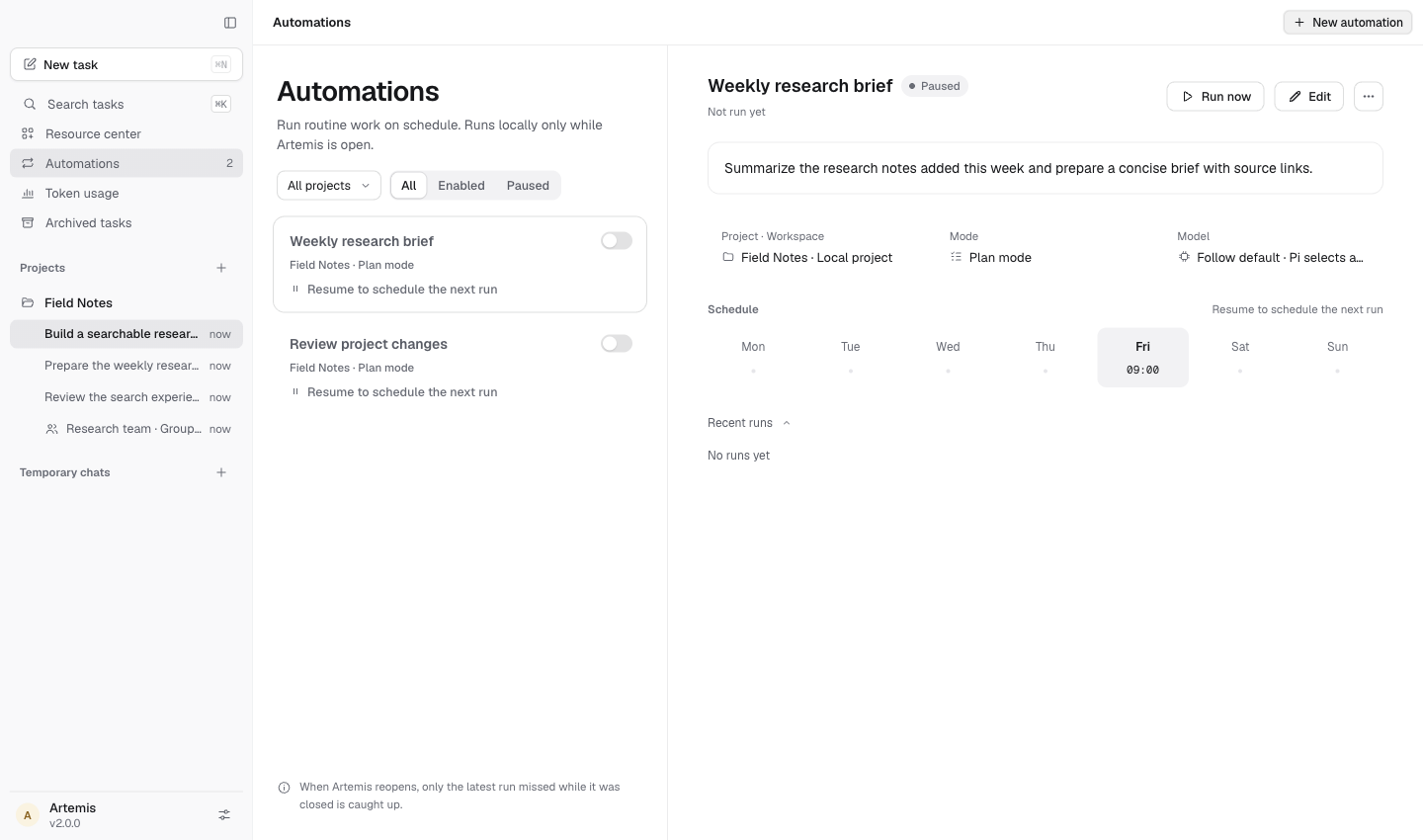
Screenshots use demonstration data; their interface may differ from the current release.
Motion previews are excerpts from the introduction film, using example data and an English interface.
Tools that fit the task
Add the capabilities you need from one resource center. Keep what helps. Turn off what you no longer use.
Take a closer lookDocuments
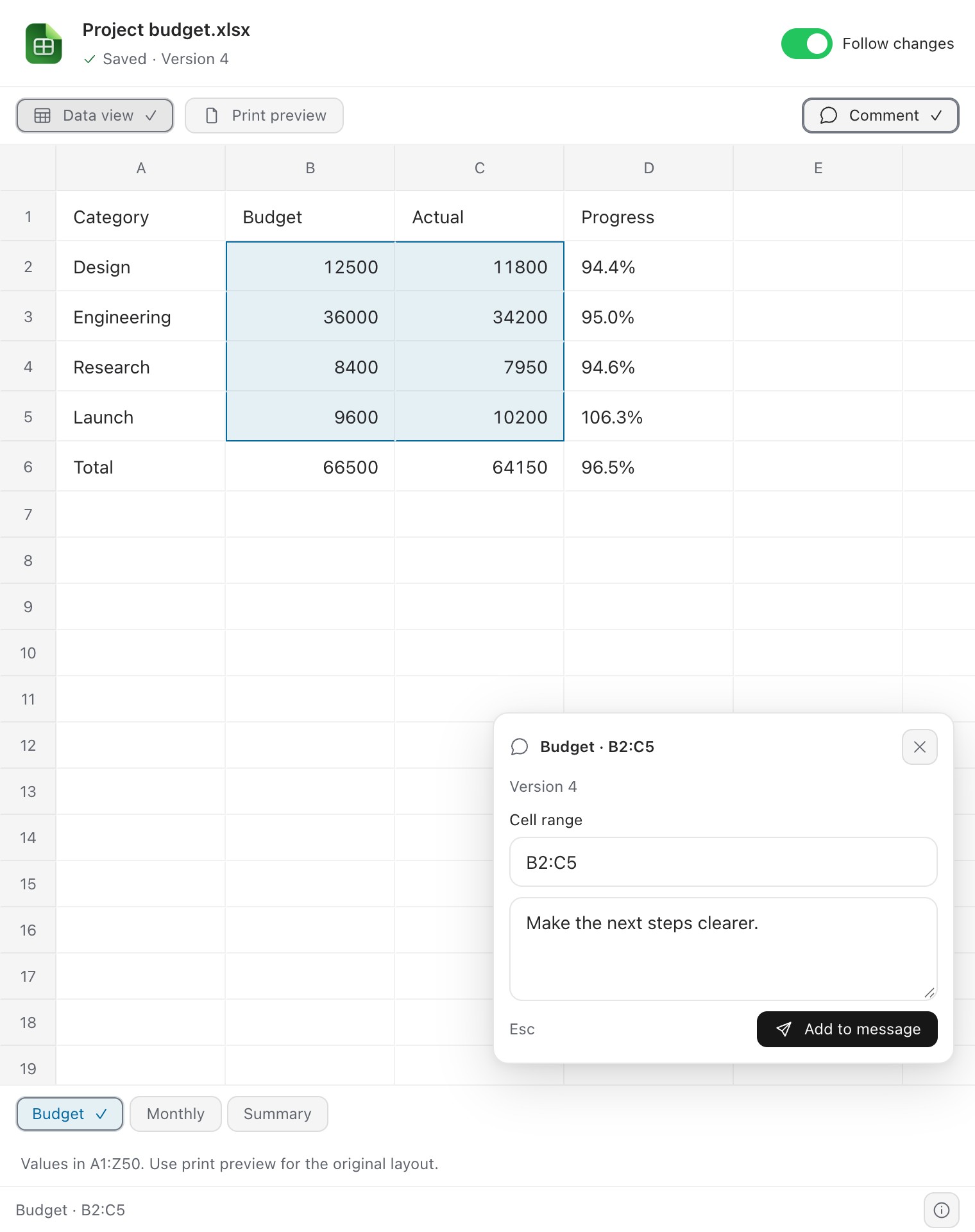
Bundled tools read and create Word, Excel, PowerPoint and PDF files. Basic content is supported; complex formatting may change.
Skills
Reuse instructions, project memory and specialist agents instead of explaining the same workflow each time.
Connections
Connect services and MCP tools, with visible connection status and permissions you can manage.
Computer Use · Windows 11 / macOS 14+
Let Artemis fill forms, click controls and browse websites in the built-in browser, or work with native Windows and Mac apps.
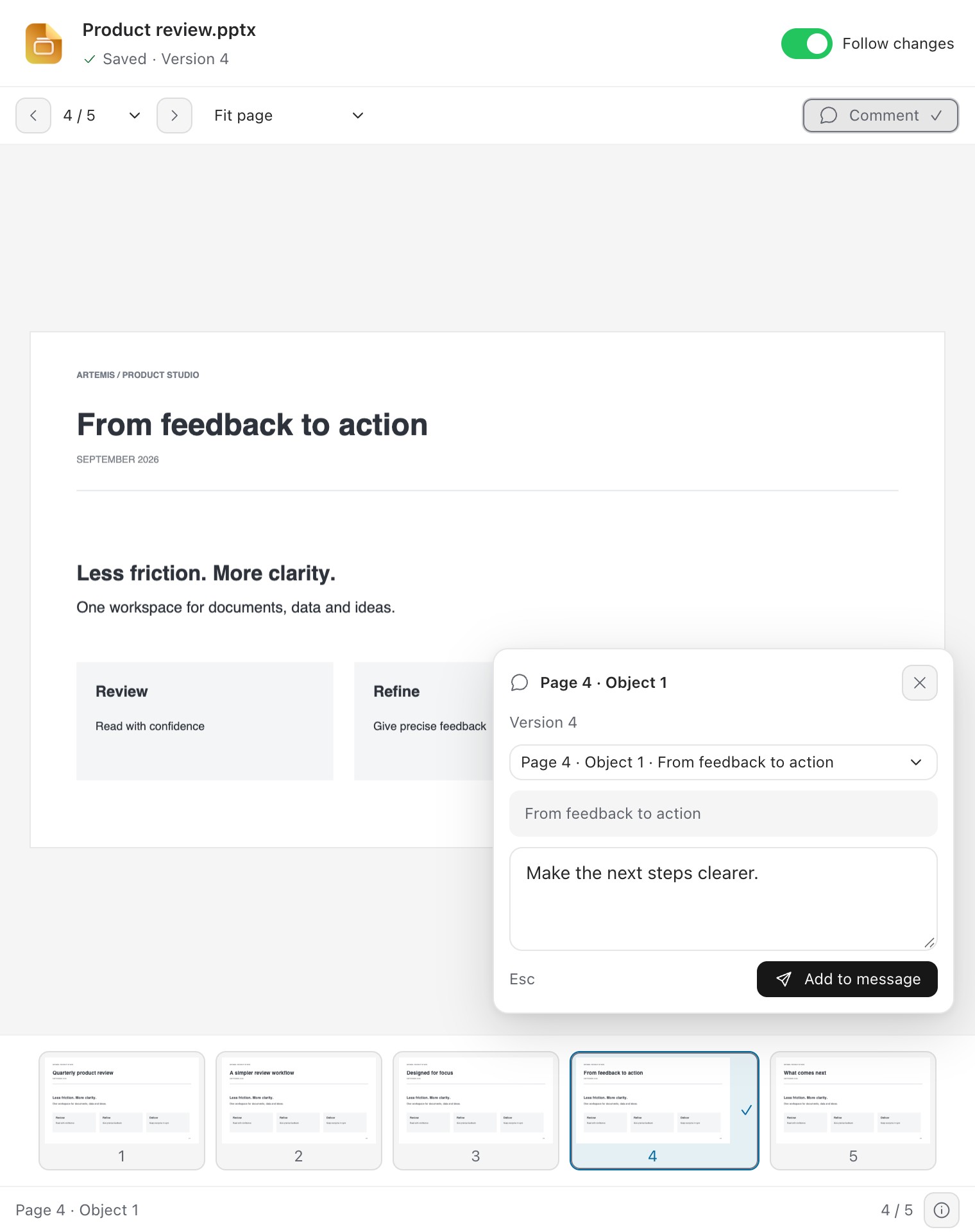
Office · Word / Excel / PowerPoint
Preview, edit and annotate Word, Excel and PowerPoint files in the Office workbench. Manual edits run locally, with autosave and undo/redo.
Office preview requires the optional Office component to be installed and active. Basic document plugins are available separately.
Take a closer look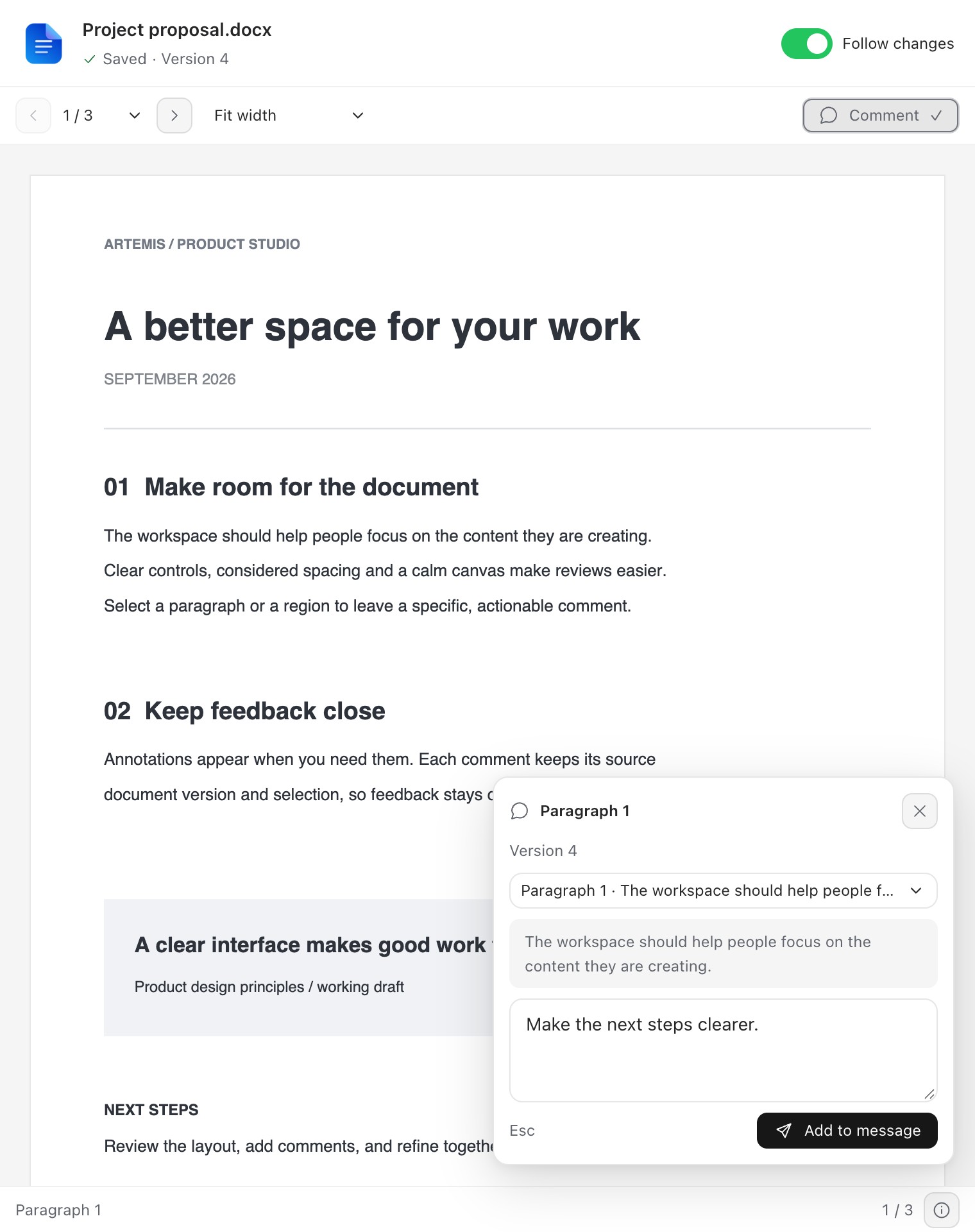
Computer Use · Windows 11 / macOS 14+
Let Artemis fill forms, click controls and browse websites in the built-in browser, or work with native Windows and Mac apps.
Fill in this registration form in the browser, then let me review it.
Supports Windows 11 x64 and macOS 14+ on Apple silicon. Native apps on macOS require Accessibility and Screen Recording permissions.
Take a closer look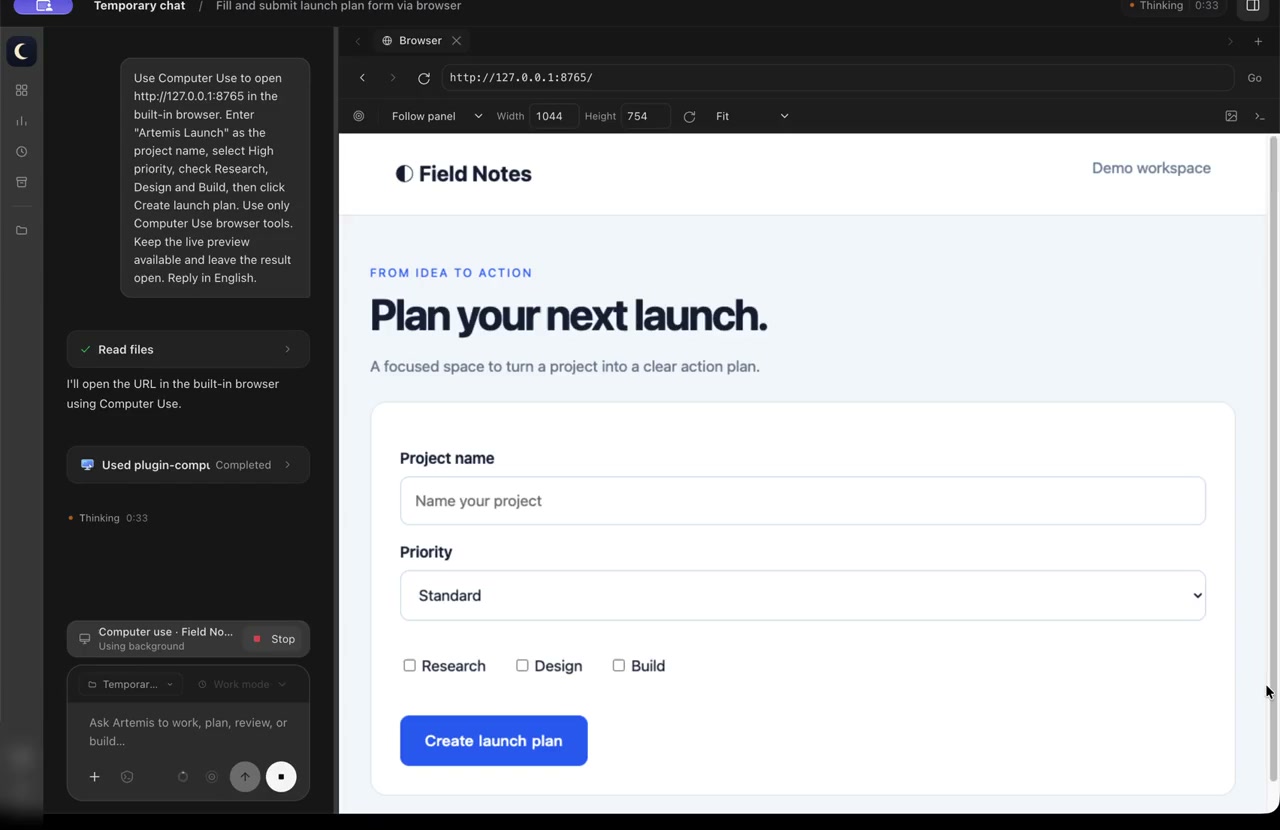
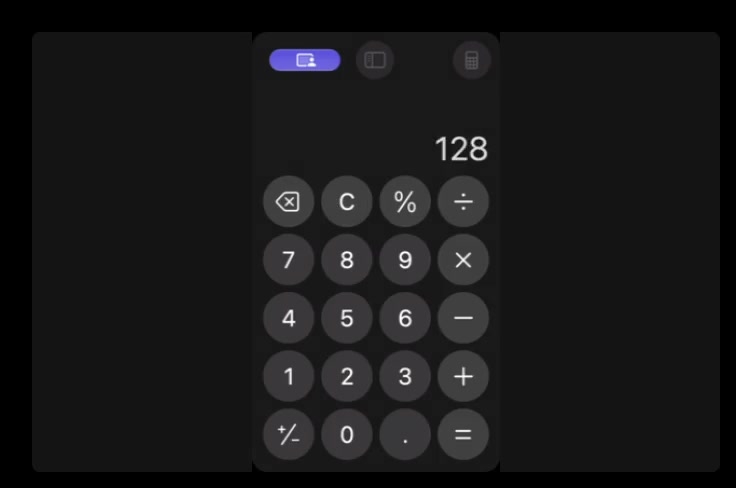
Browser actions · Live picture-in-picture
Recorded on macOS, cropped and sped up; the demo interface is in English.
A workspace that feels like yours
Continuity
Return to saved conversations, branch an idea into a new task, and keep useful project knowledge close.
Choice
Set a model, reasoning level and context limit for each conversation. See model usage in one place.
Control
Investigate and review without changing files. Plan cannot run Shell, MCP or executable extensions; you choose when to proceed. Edit files and run tools under the selected approval policy. Work is the default for new tasks.
With your authorization, Artemis can help you find and draft Gmail messages, work with files in Google Drive, and manage Google Calendar events. Relevant task content can be sent to the model service you configure. Read our privacy policy before connecting an account.
60 seconds of Artemis: from planning and agent teams to Office, Design and Computer Use. English titles, with music.
A familiar place to think, make and carry work forward.